
The we2usat Android TV box, with its outstanding flexibility and powerful functions, transforms the traditional TV into a smart entertainment center. It breaks the limitations of traditional TVs, which are often characterized by “single content and rigid interaction.”
Today, let’s explore the we2usat ecosystem.
I. Core Content
II. Mainstream Platform Applications
III. Two Core App Stores
3.1 Certified App Store
3.2 Alternative App Marketplace
IV. Utility Apps
V. How to Install Third-Party Apps
5.1 Installing from App Stores
5.2 USB Sideloading Method
VI. Comprehensive Video Decoding Capabilities
VII. Long-Term Maintenance and Future Adaptation
summary

I. Core Content
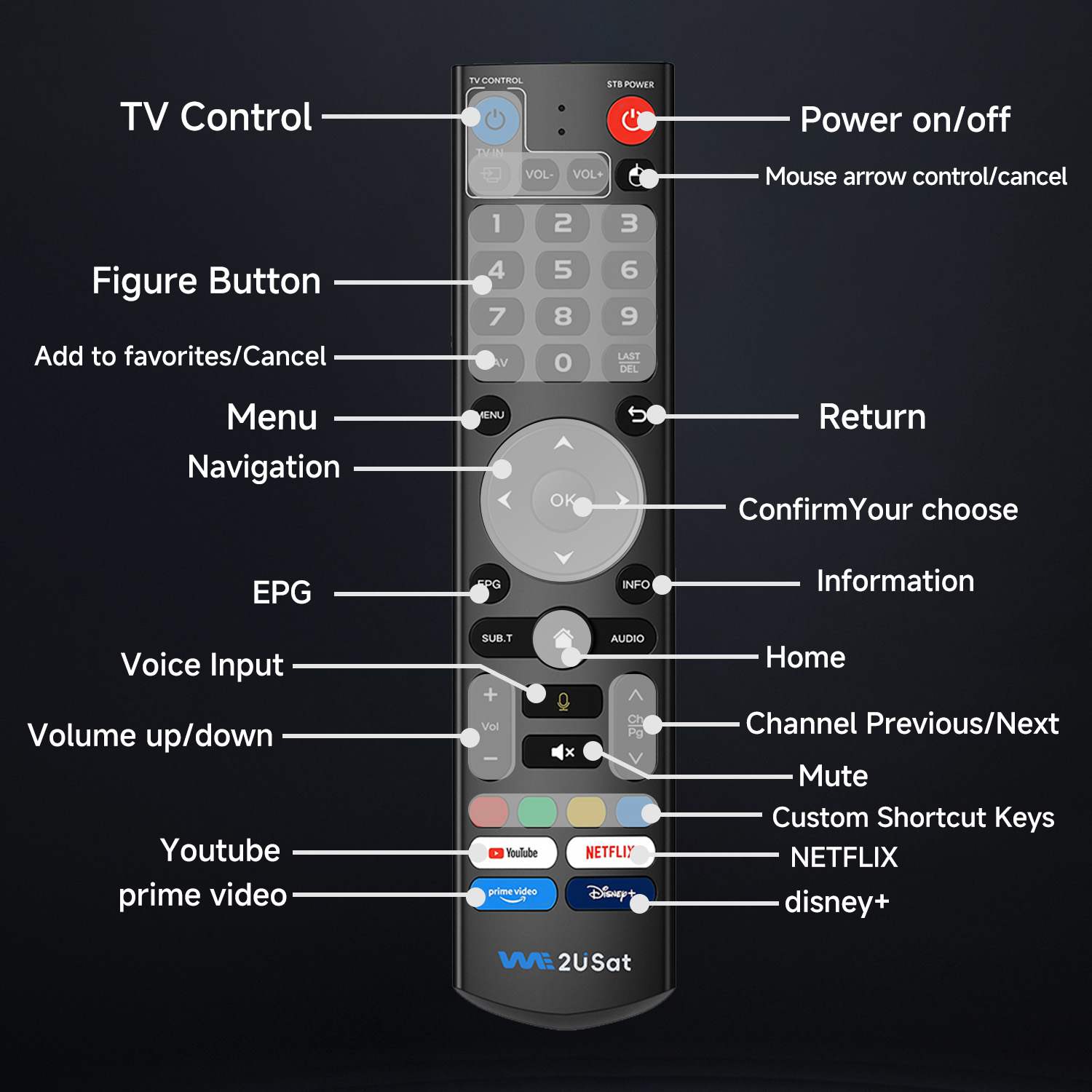
If you have high demands for live TV and on-demand content, the series of media applications developed by WE2USAT are definitely worth trying. Optimized for the operating scenarios of Android TV boxes, they run smoothly and are highly stable. They also support setting frequently used functions to dedicated shortcut keys on the remote control, enabling convenient operations such as one-click start and quick switching.
●MarsLive: A stable live streaming experience, covering multiple countries and regions worldwide, including news, sports, and various other channels. With stable signal and clear picture quality, it’s the first choice for watching live sports events and real-time news. It also supports screen recording, allowing you to review highlights anytime.
●MarsSuperTV: Focusing on “number of channels” and “content richness,” it integrates a massive amount of TV channel resources, from popular channels to niche specialty channels. It also supports a channel favorites function, making it easy for users to quickly find their favorite channels.
●MarsVod/MarsVodPlus: Boasts a vast video-on-demand library, covering the latest movies, popular TV series, variety shows, and classic films, with stable and continuous updates, offering high-definition 6K quality options.
●MarsLive Backup: A backup solution for live streaming. When a MarsLive channel becomes unplayable due to unforeseen circumstances, it automatically switches to the backup line, ensuring uninterrupted viewing. This is particularly beneficial for watching time-sensitive content such as live sports events.
II. Mainstream Platform Applications
Pre-installed with mainstream media applications, covering a full range of content—from acclaimed original series and popular films to a premium library that includes movies, TV series, documentaries, variety shows, and educational content. Dedicated shortcut keys provide one-click access.
III. Two Core App Stores
Official and third-party stores complement each other.
3.1 Google Play Store
The preferred choice for downloads, offering a large number of verified apps.
3.2 Aptoide TV
offers more third-party app versions adapted for TVs, with interfaces optimized for large TV screens.
This app store offers a vast array of free applications, encompassing unique streaming media tools, retro game emulators, and more. It also enables users to upload and share their own apps, significantly enriching its resources beyond what an official app store can provide. Furthermore, the store conducts security scans on apps to mitigate the risk of malicious software.
IV. Utility Apps
File Management
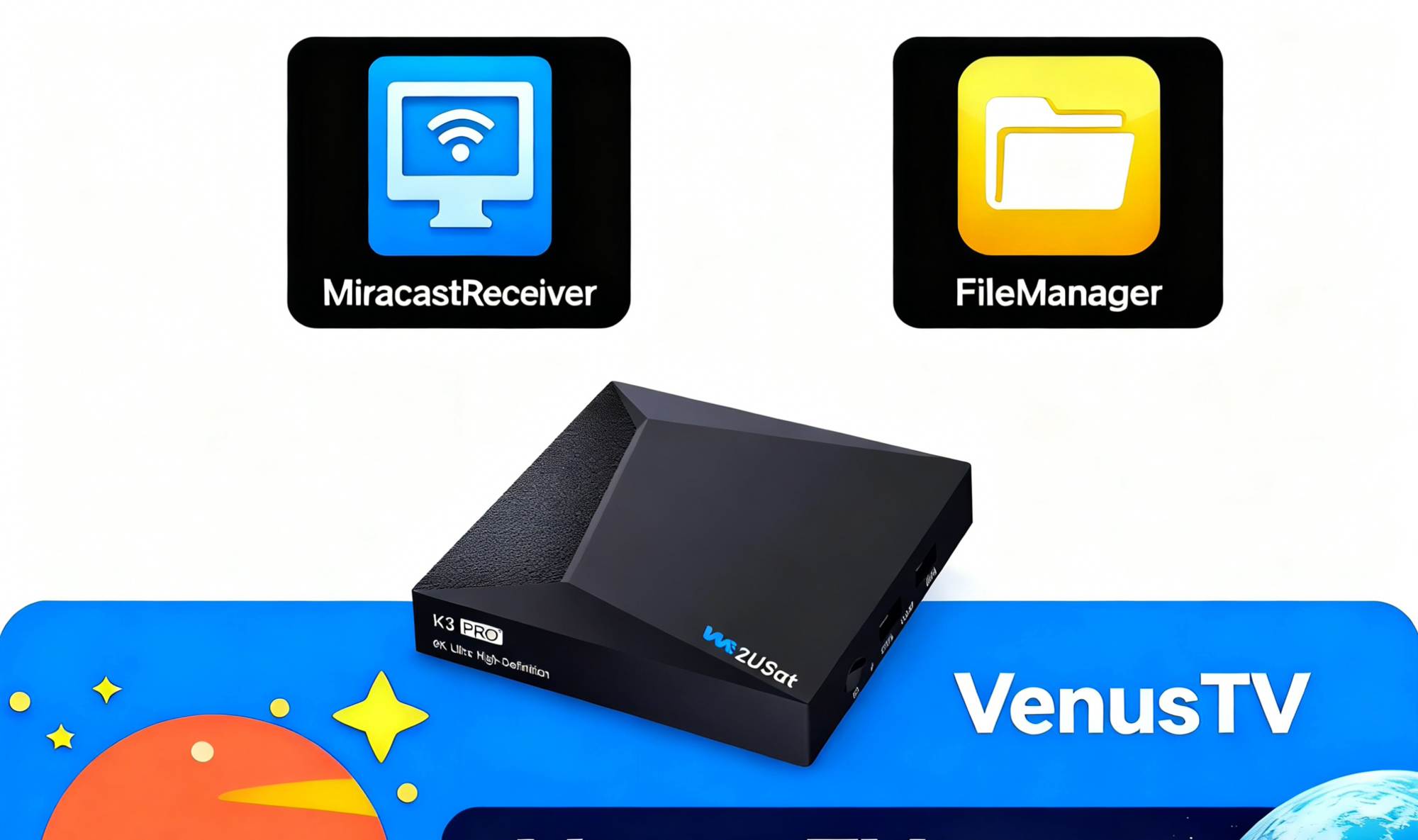
●FileManager: A powerful yet lightweight tool that supports managing all content, files, and media stored on your device.
Media Playback
●Venus TV Player: Supports almost all IPTV video formats, boasts strong compatibility, simple operation, and an interface suitable for remote control operation.
Wireless Casting
●MiracastReceiver: Mirrors your mobile device screen to your TV, supports multiple platforms, and is suitable for sharing photos and videos or giving presentations.
V. How to Install Third-Party Apps
5.1 Installing from the App Store
Open Certified App Store or Alternative App Marketplace , search, and install with one click.
Suitable for users who want a stable version
Users unfamiliar with sideloading
Users who prefer automatic app updates
5.2. USB Sideloading Method
Open a browser on your computer and visit the official website of the desired application. Download the required APK file from your computer.
Connect a USB flash drive to your computer and copy the downloaded APK file to the root directory of the USB flash drive (avoid placing it in a deeply nested folder to prevent difficulty in finding it). Then safely eject the USB flash drive.
Insert the USB flash drive into the TV box, use a file manager to find the APK, and install it.
VI. Comprehensive Video Decoding Capabilities
The we2usat series products possess powerful multi-format decoding capabilities. Taking the initial we2usat K3 Pro as an example, it supports 4K output and mainstream video formats such as H.265/HEVC, while high-end models such as the we2usat P6 Mini 8K Android Smart TV Box have 8K 60fps video decoding capabilities.
Supported mainstream formats include:
| Model/Format | Supported video formats | Supported video formats |
| we2usat k3 pro+ | MKV, TS, M2TS, MOV, MP4, RM, RMVB, AVI, MPG, MPEG, DAT, VOB, FLV etc. | MP3, WMA, WAV, OGG, M4A, MP4, AAC, APE, FLAC, ALAC, MPEG, MP1, MP2, MPA etc. |
| we2usat p6 mini | Supports JPEG thumbnail, scaling, rotation and transition effectsSupports *.mkv,*.wmv,*.mpg, *.mpeg, *.dat, *.avi, *.mov, *.iso, *.mp4, *.rm and *.jpg | MP3, WMA, WAV, OGG, M4A, MP4, AAC, APE, FLAC, ALAC, MPEG, MP1, MP2, MPA etc. |
VII. Long-Term Maintenance and Future Adaptation
The we2usat technical team continuously updates and fixes vulnerabilities in the application, improves security, and prevents attacks by malicious software,
ensuring device compatibility and security.

summary
the WE2USAT ecosystem provides you with a personalized media experience, and its remote control shortcuts enable convenient operation.
What other apps do you like? Feel free to contact us and share your recommendations!